
Everything you need to run an NDIS business
KAINDIS brings participant care, rostering, budgets, billing and compliance into one platform. Purpose-built for Australian NDIS providers and the NDIS Practice Standards.
How it works
From your current spreadsheets to claim-ready in three steps.
- 1
Upload what you already have
Export whatever your current system or spreadsheet holds and drop the file in. Kai reads your column headings and works out what each file is, so there is nothing to reformat and no template to fill in first. You check the match before anything is saved, and one click undoes a whole import.
- 2
Roster and deliver
Build the week on the drag-and-drop calendar. Workers see their shifts on their phone, start and finish on site, and progress notes land on the participant record.
- 3
Validate claims and get paid
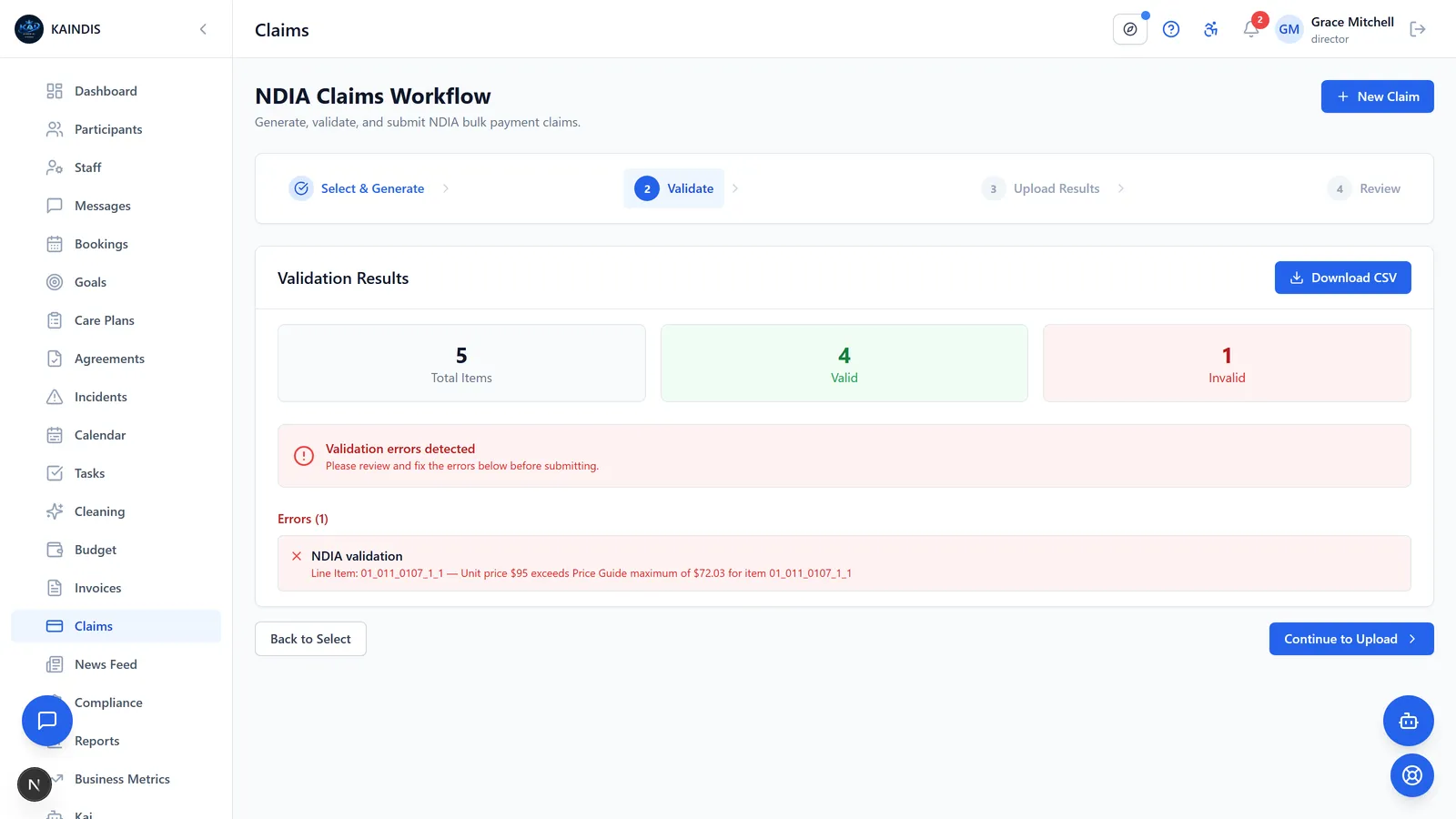
Turn delivered services into invoices priced to the service date, catch claim problems before they leave the building, and export a claim file ready for the PRODA portal.
A closer look
The screens your team will live in, feature by feature.
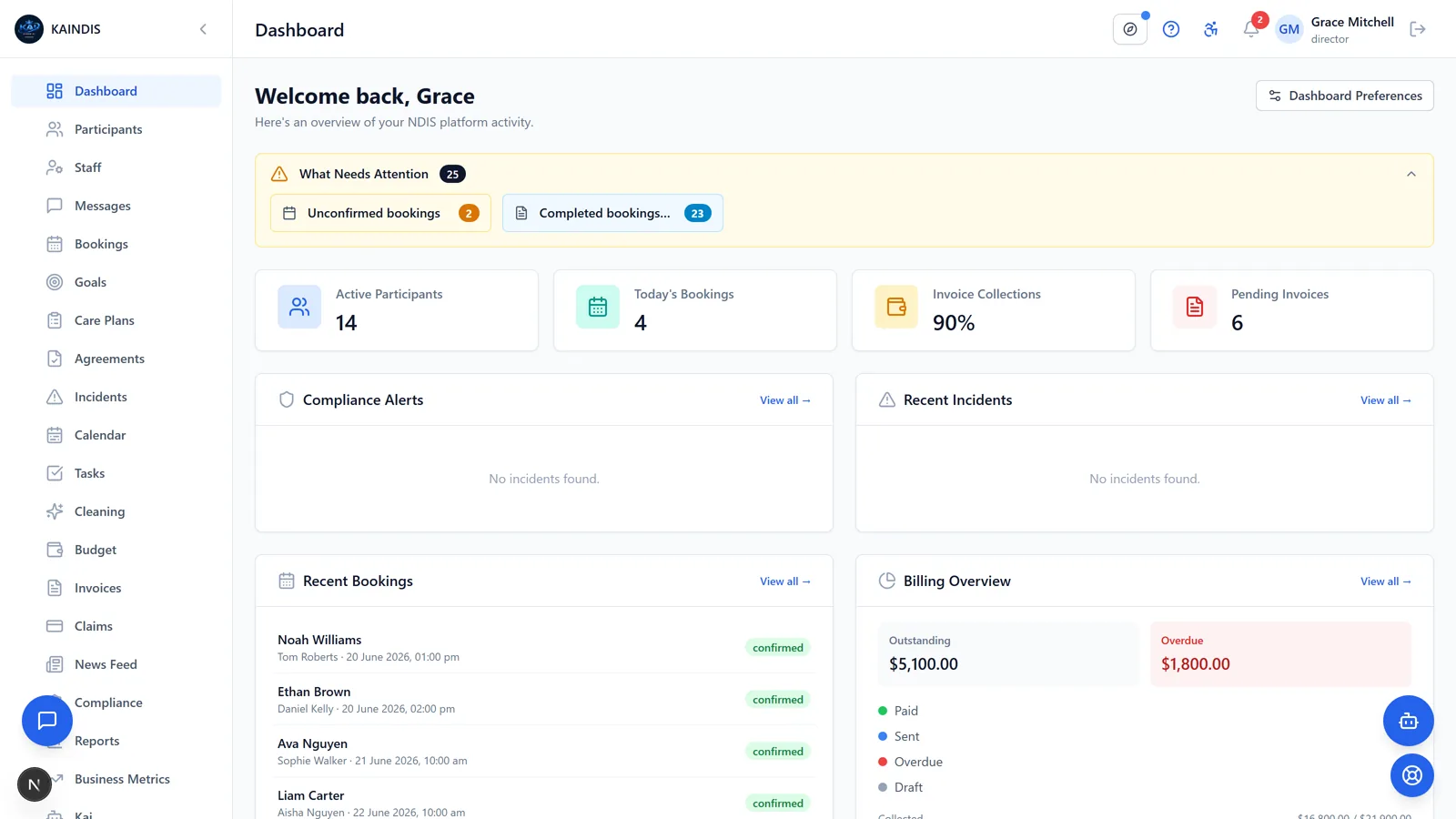
Participant management
A single, secure record for every participant. Plans, goals, contacts, documents and service history in one place.
- NDIS plan details, goals and review dates
- Emergency contacts, nominees and care teams
- Document storage with self-service participant upload
- Full service history and timeline
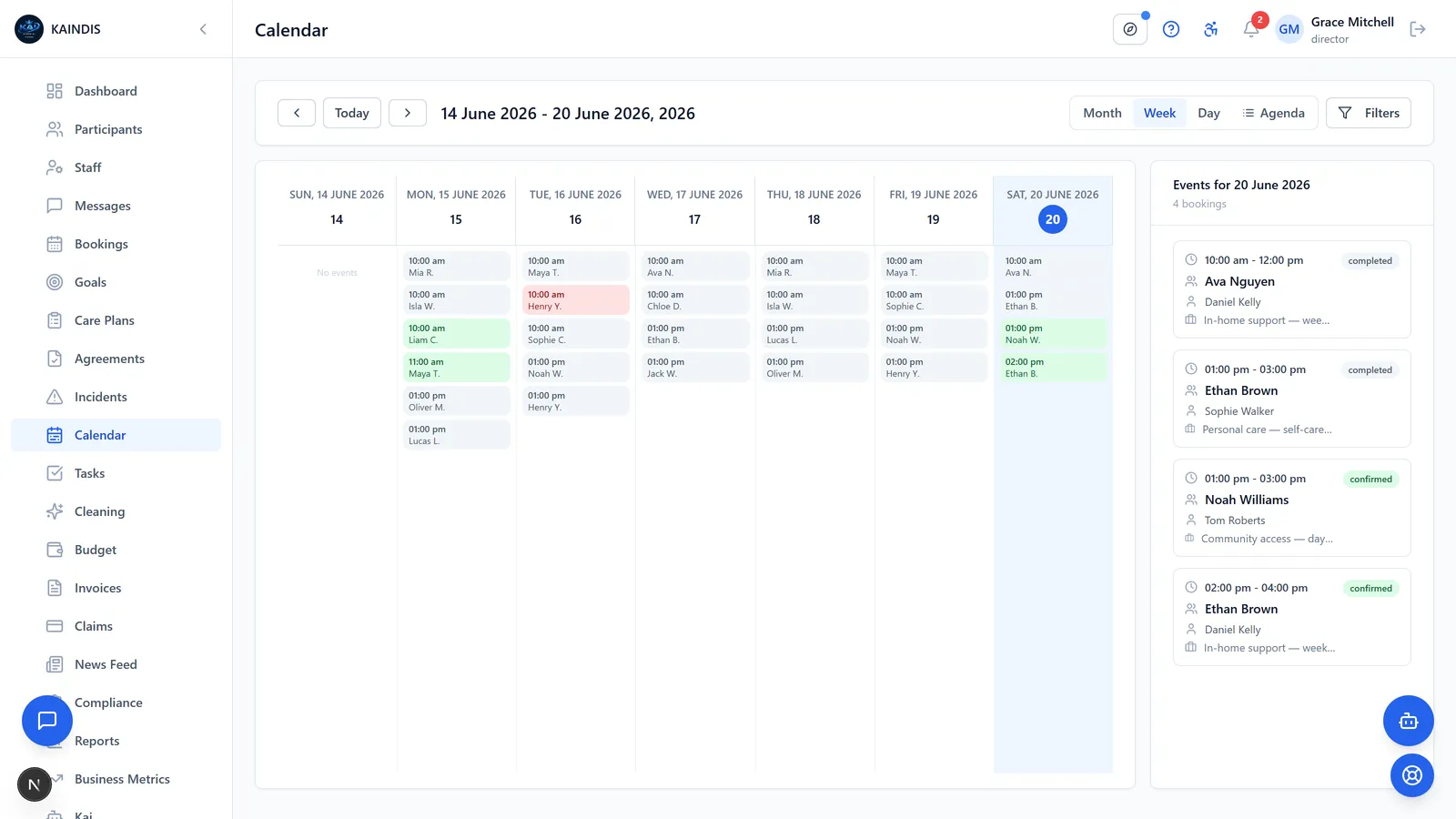
Rostering and scheduling
Roster the right worker to the right shift, every time. Availability, conflicts and travel are handled for you.
- Drag-and-drop calendar and recurring bookings
- Worker availability and double-booking prevention
- Shift acceptance, start and finish, and progress notes
- Participant self-booking when you enable it
- Booking waitlist when a preferred time is full
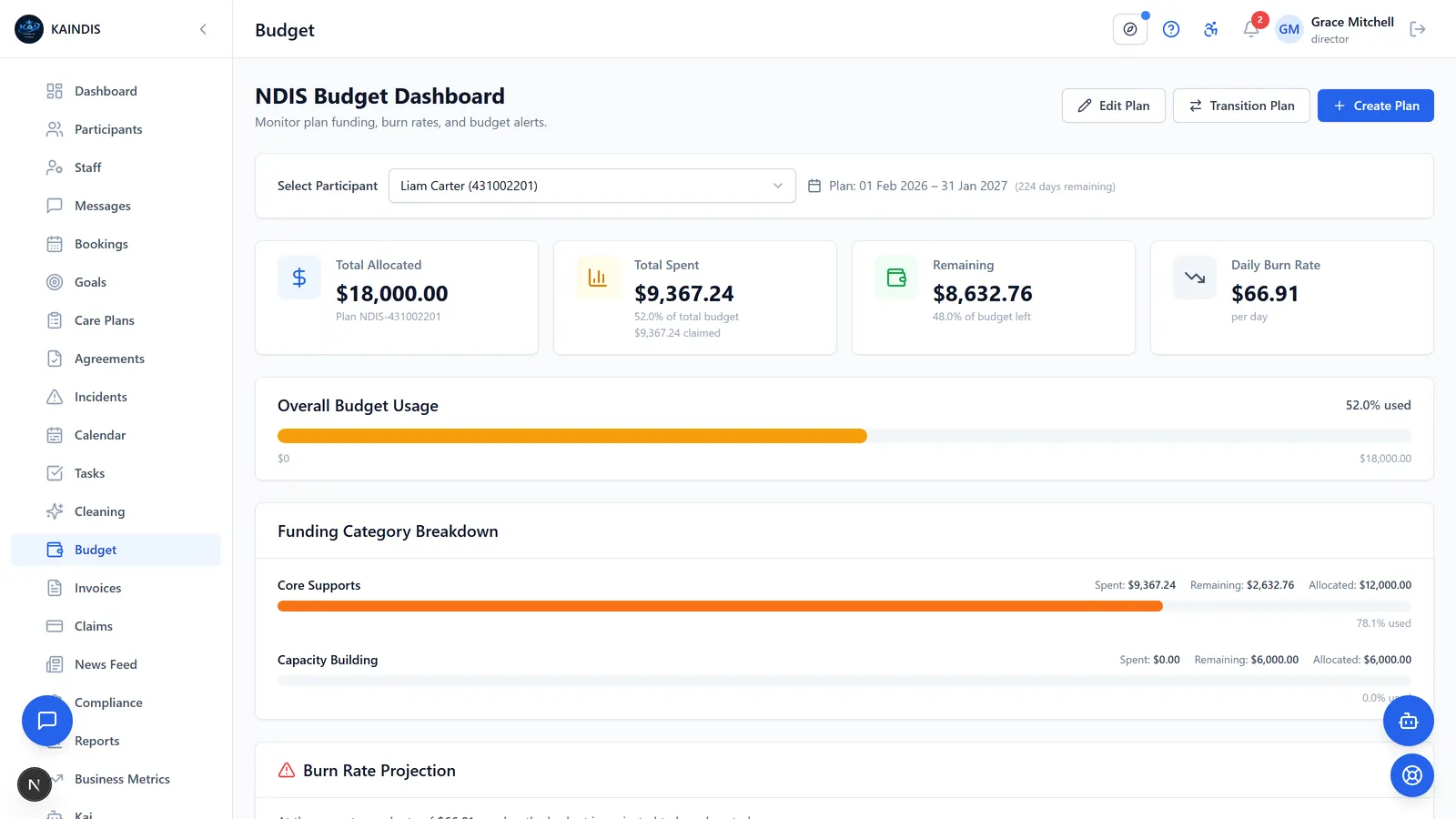
Budgets and funding
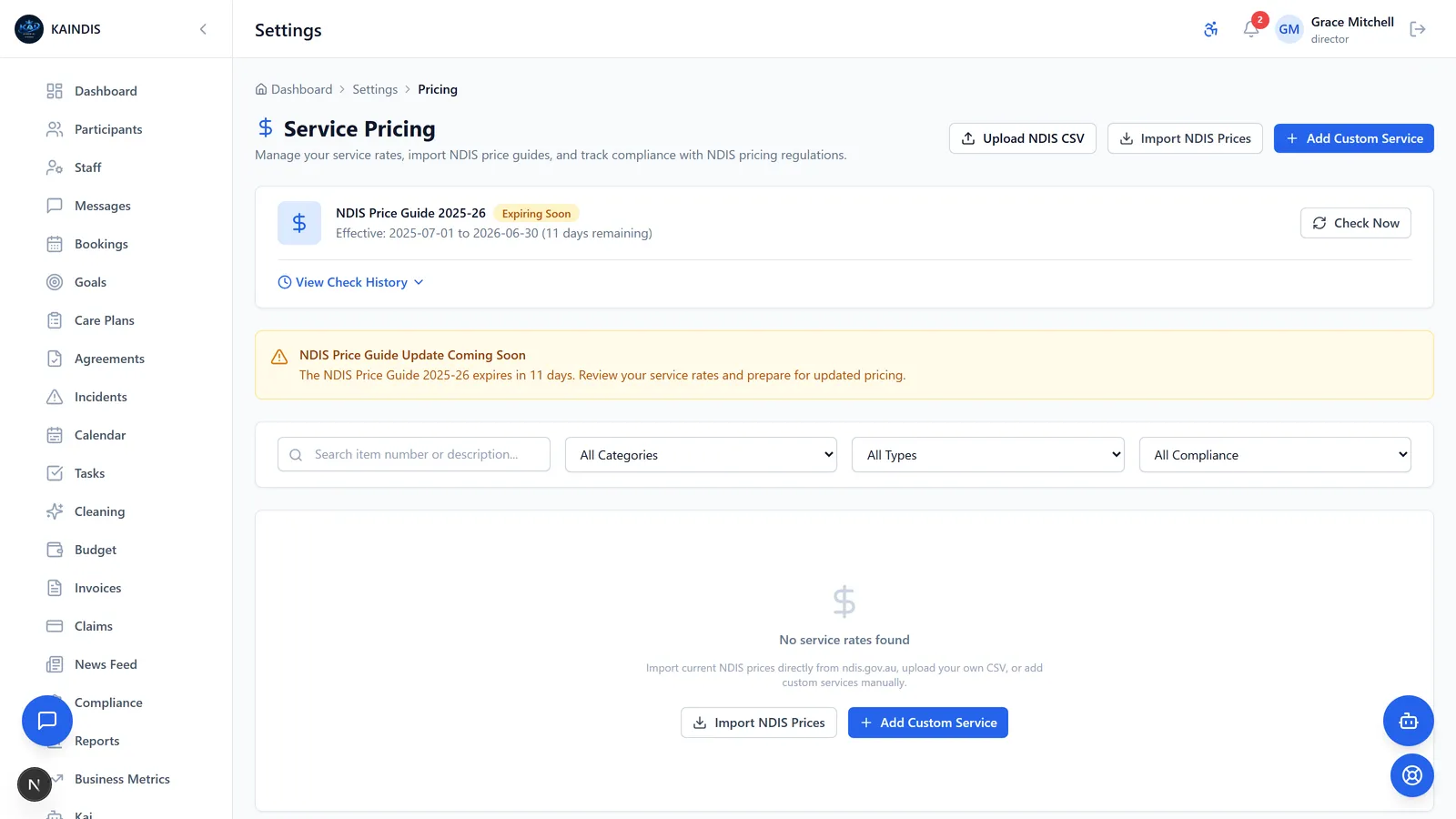
Track every participant budget against the live NDIS Price Guide, so you never overspend a plan or miss a claim.
- Real-time budget tracking by support category
- Automatic pricing from the current NDIS catalogue
- Low-balance and plan-expiry alerts
- Plan-managed, self-managed and agency-managed support
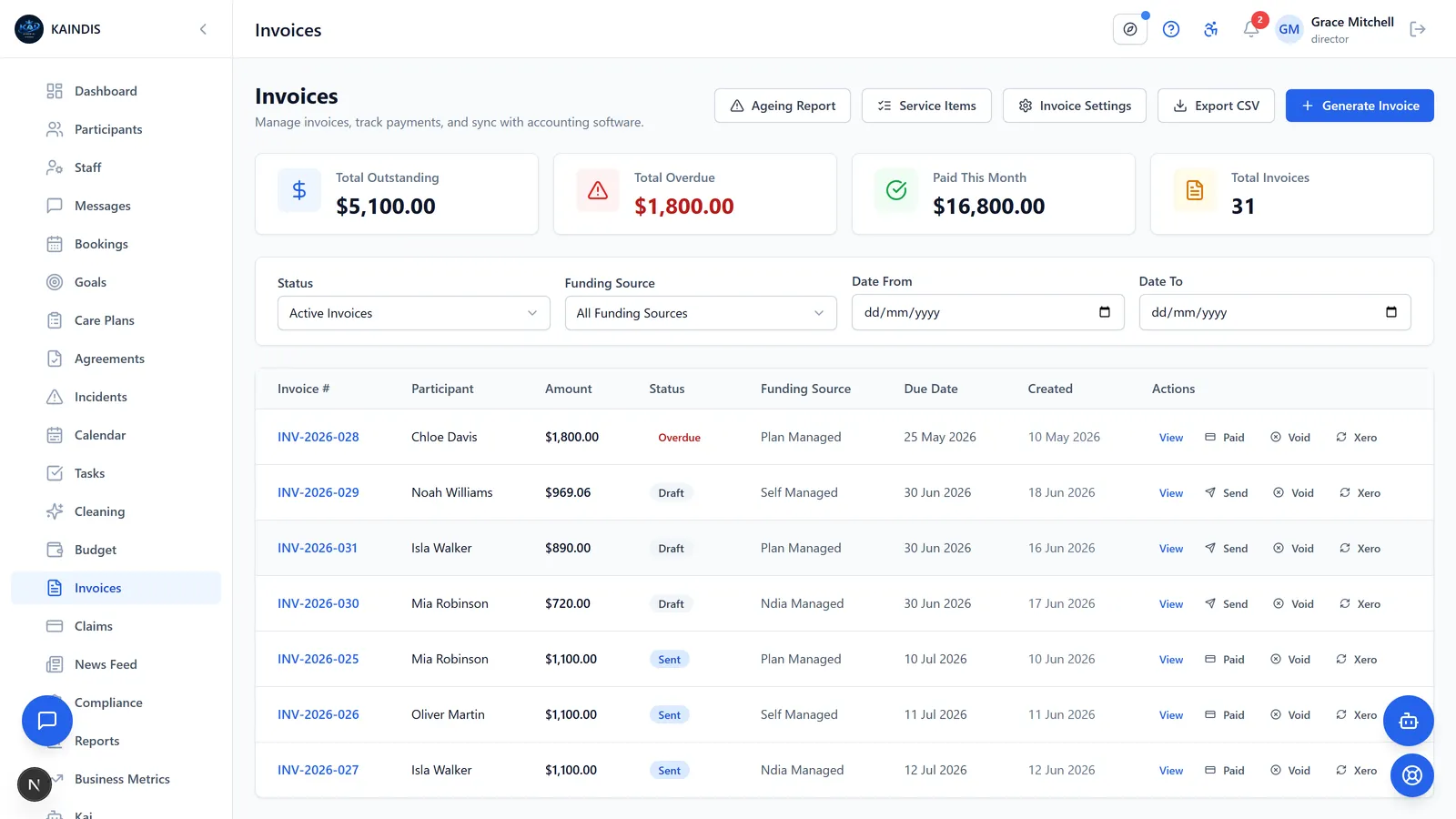
Invoicing and claims
Generate compliant invoices and NDIS claim files in minutes, priced to the service date automatically.
- One-click invoice generation from delivered services
- Bulk payment-request export for the PRODA portal
- Service-date pricing with automatic re-pricing on rate changes
- Push invoices straight to Xero
Compliance and quality
Stay audit-ready against the NDIS Practice Standards with worker credentials, training and document controls.
- Worker credential and certification expiry tracking
- Training records and attestations
- Care plans with structured risk assessment
- Document categories and compliance alerts
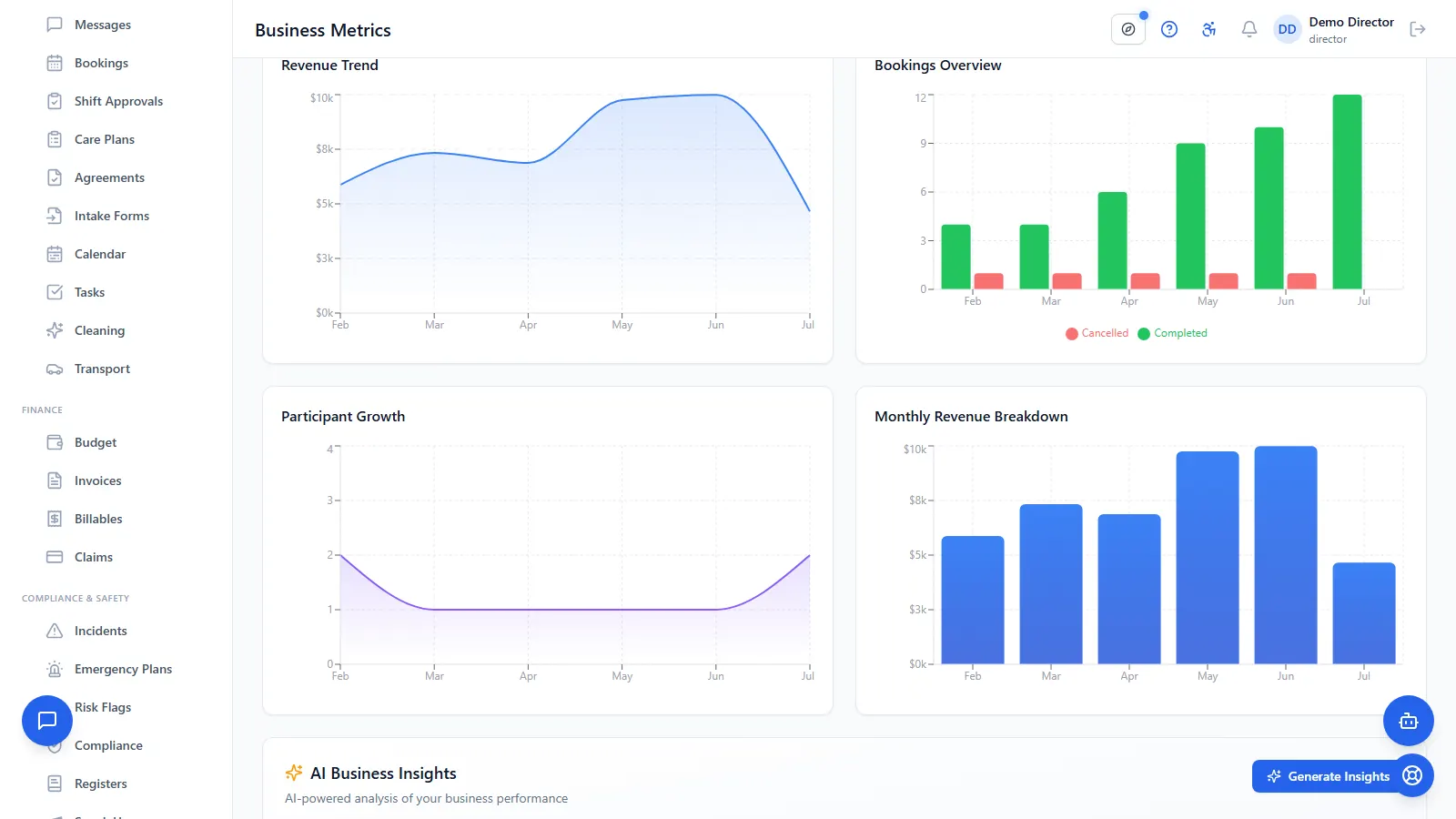
AI-Powered Business Insights
See how your business is tracking month over month, then ask for AI-written insights that explain what is changing. Kai also answers rostering, budget and care-plan questions on demand.
- New participants, collected revenue, bookings and completion rate, month over month
- Six-month trend view across revenue, new participants and completed bookings
- AI-written insights on your own numbers, generated whenever you ask for them
- Kai drafts notes and answers questions in the dashboard, always for you to approve
See it in action
A quick walkthrough of the day-to-day screens. Scroll through to see how participant care, bookings, and compliance fit together.
Participant Management
Centralise profiles, plans, goals, and care notes in one secure record.
Booking & Scheduling
Drag-and-drop calendar, recurring bookings, and automatic conflict checks.
Budget Tracking
Live NDIS plan utilisation per support category. Flag overspend before it happens.
Compliance & Incidents
Audit trails, document expiry tracking, and one-click incident reporting.
AI-Powered Business Insights
See how your business is tracking month over month, then ask for AI-written insights that explain what is changing. Kai also answers rostering, budget and care-plan questions on demand.
Also built in
The rest of the day-to-day work KAINDIS covers.
Incident management
Capture, triage and escalate incidents the way the NDIS Commission expects, with reportability built in.
- Structured incident reporting and severity triage
- Reportable-incident flagging and follow-up actions
- Restrictive-practice recording
- Full audit trail from report to resolution
Award costing and payroll handover
See what a shift costs before you roster it, then hand clean hours to your payroll system. KAINDIS prepares the numbers; your payroll system still runs the pay run.
- Shift cost estimates based on the SCHADS award pay structure
- Costed hours report for any date range
- Payroll import file with hours split into award bands
Service agreements and statements
Draft an agreement, send it to the participant to sign, and keep every version. Renewals are flagged before they lapse.
- Draft, send for signature, and activate
- Version history on every agreement
- Renewal alerts before the 12-month mark
- Participant account statement for any date range
Medication schedules and administration records
Keep each participant medication schedule in one place, prompt the worker when a dose is due, and record what happened. This is decision support for your team. KAINDIS is not a clinical or medical records system and gives no medical advice.
- Medication schedules per participant, with dose times and prescriber
- Reminder to the rostered worker when a scheduled dose falls due
- Administration recorded as given, refused, missed or withheld
Transport
Plan and cost participant transport, capture trips against funding, and keep drivers organised.
- Trip planning with pickup and drop-off zones
- Mileage and transport-support billing
- Driver assignment and trip records
Mobile for support workers
Your team works from their phone. Shifts, notes, tasks and incidents, wherever care is delivered. Android beta available today, iOS on the way.
- View shifts and start or finish on the go
- Log progress notes and complete tasks
- Raise incidents from the field
Why not a generic CRM?
You can run an NDIS service on spreadsheets or a generic CRM. The difference is what you have to build, maintain and double-check yourself.
- With a generic tool: Rate cards typed in by hand and updated when someone remembersWith KAINDIS: The current NDIS Price Guide built in, with alerts before prices change
- With a generic tool: Claim errors surface at the portal, weeks after the serviceWith KAINDIS: Claims validated against plan budgets and price limits before export
- With a generic tool: Incidents tracked as tickets, with no reportability rulesWith KAINDIS: NDIS reportable-incident workflows and severity triage built in
- With a generic tool: Budgets in a side spreadsheet that drifts from realityWith KAINDIS: Live plan budgets that update as services are delivered
Frequently asked questions
Where is our data stored?
In Australia, in AWS Sydney. Data is encrypted at rest with AES-256 and in transit with TLS, every account supports multi-factor authentication, and you can export your data at any time.
What does it cost, and is there lock-in?
Plans start at $59 per month including GST. There is no lock-in contract: you can export your data and cancel at any time.
We run on spreadsheets today. How do we get our data in?
Upload them. Export what your current system or spreadsheet holds, drop the CSV or Excel files in, and Kai works out what each file is and matches your column names to KAINDIS fields. You review the match before anything is saved, a dry run shows you any rows that need attention, and one click undoes a whole import. CSV templates are there if you would rather use them, but you do not have to reformat anything to start.
Does Kai train on our data?
No. Kai reads your data only to answer your questions and draft notes for your team to review. Your data is not used to train AI models.
Do our support workers need training?
Most workers only need the mobile app: their shifts, notes, tasks and incident reporting. Admin staff have built-in tutorials for the rest.
See it with your own data
Book a live 30 minute demo, ask Kai anything, or start your free trial and import your first participants today.